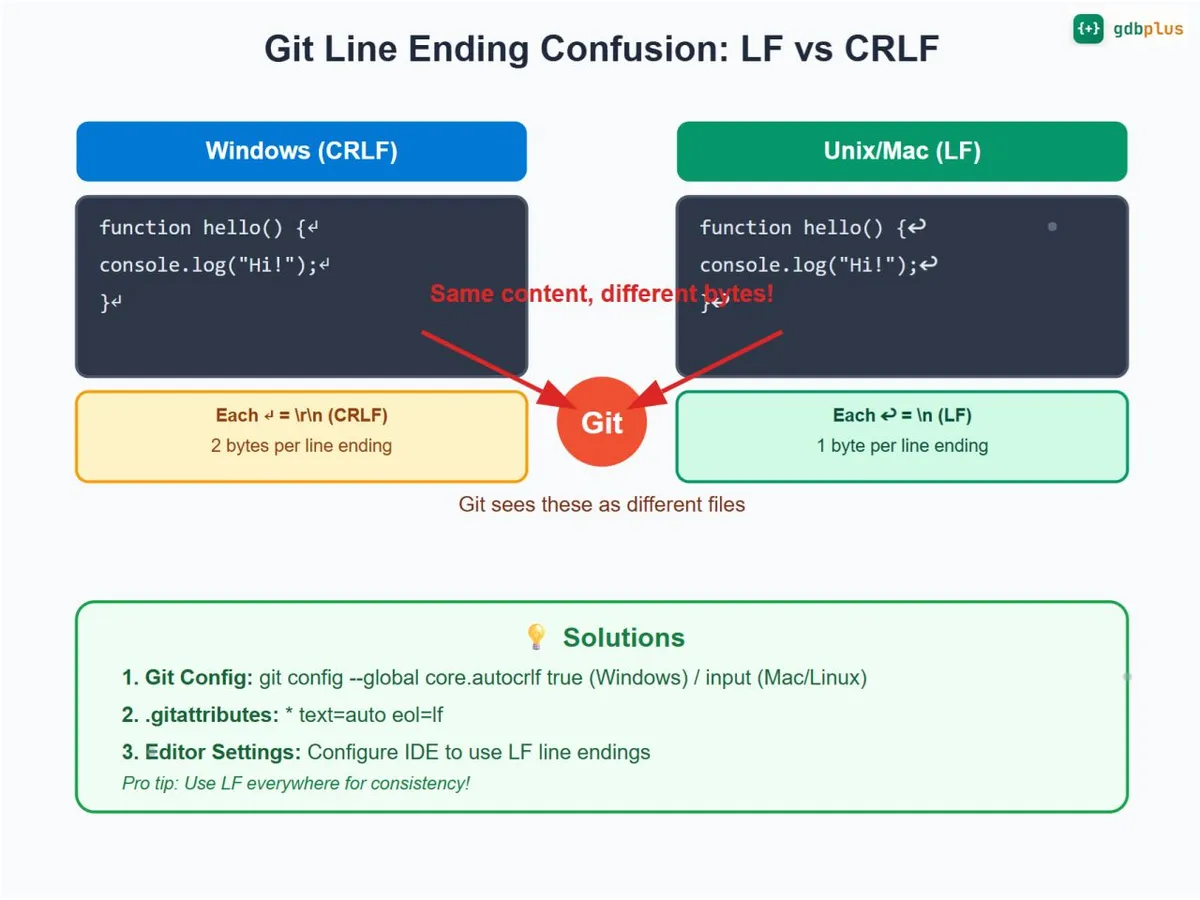
Git line endings between macOS and Windows
I mostly work on my Mac, but also use Windows regularly. My Obsidian vault travels between the two, with Git taking care of backups. Quite convenient, until Git suddenly shows hundreds of changed files, even though I haven’t touched any of them. Apparently my notes had very strong opinions about which operating system they were on.
The culprit: line endings. Here are some notes about the fix, mainly so my future-self doesn’t have to figure this out again.
LF Vs. CRLF
macOS and Linux normally use LF (\n), while Windows traditionally uses CRLF (\r\n). These are characters inside text files; the filesystem happily stores either. Editors and other tools decide which ones to write.
Git can also convert them. With core.autocrlf=true, it normalizes text to LF when staging and converts it to CRLF on checkout. That explains how a file can have different line endings locally and in the repository.
For my notes and most modern development projects, LF on both machines is a useful standard. A few reasons why:
- One canonical form in the repository. If every machine stores and commits LF, the repository has exactly one representation of each line, so diffs only show real content changes.
- Git’s own history is LF-friendly. Git stores text internally with LF and its diff, merge, and blame machinery is happiest with LF.
- Tooling assumes LF. Most linters, formatters (Prettier, ESLint, EditorConfig), shell scripts, and CI runners on Linux expect LF.
- Merges and conflicts stay sane. Mixed line endings turn trivial edits into whole-file conflicts, because every line looks changed.
- It’s the cross-platform default. macOS, Linux, and the vast majority of servers and containers use LF natively. Windows is the outlier, and modern Windows editors (VS Code, Notepad++, JetBrains IDEs) handle LF without complaint.
- CRLF is only genuinely needed in a few places — classic Windows batch files (
.bat,.cmd), some legacy Windows tooling, and a handful of Windows-only config formats.
The Fix: A Shared Rule
Add a .gitattributes file at the root of the repository:
* text=auto eol=lf Git automatically detects text files, normalizes their line endings to LF when staging, and uses LF on checkout. Binary files such as images and audio aren’t converted.
The nice part: this file is committed with the project. Once both machines pull it, they share the same rule, regardless of their personal Git settings.
If a project needs CRLF for Windows batch scripts, add exceptions:
*.bat text eol=crlf
*.cmd text eol=crlf
A Global Fallback
On each machine, I also use:
git config --global core.autocrlf input Without a project rule, input converts CRLF to LF when staging text, but doesn’t convert LF to CRLF on checkout. false would disable automatic normalization; it preserves whatever the editor wrote. Explicit .gitattributes rules still apply with either setting.
So my setup is global input, plus .gitattributes in each new project, and an editor configured to save text with LF. Global settings only apply on the machine where I set them.
Cleaning Up an Existing Repository
Adding the rule doesn’t normalize everything already tracked. After committing my current work, I ran this once:
git add --renormalize .
git diff --cached --stat
git diff --cached --ignore-space-at-eol
git commit -m "Normalize text files to LF line endings"
The second diff helps check whether anything besides line-ending whitespace changed. In my vault, ten files needed normalization. Git reported thousands of additions and deletions, but that diff was empty, so could be ignored.
One small project file, one global preference, and a one-time cleanup. Hopefully the next enormous Git diff will at least contain something I actually wrote.